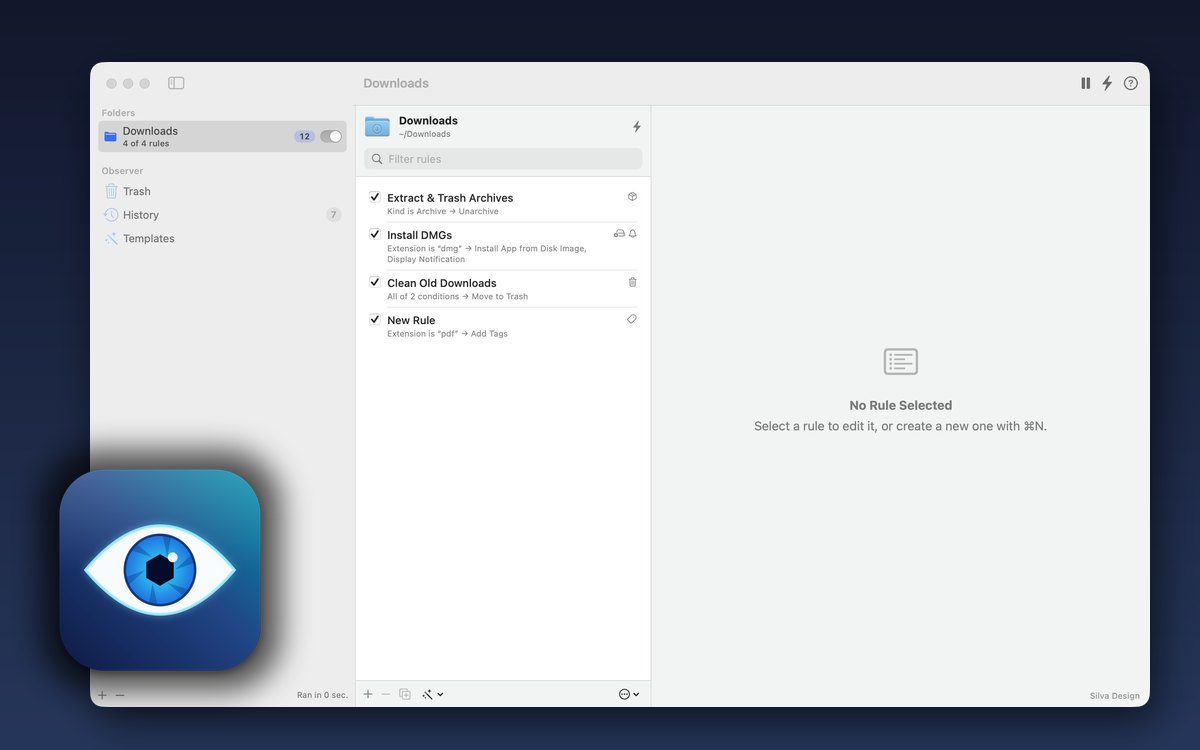
Observer watches the folders you choose and tidies them for you. You write simple rules (if a file looks like this, do that) and Observer runs them the moment files arrive, or on a schedule for date-based rules. It's a native Mac app that works entirely on your Mac, and it's completely free.
Free. Unlimited. Yours.
- Completely free: no trial, no Pro tier, no subscription, no in-app purchases.
- Unlimited watched folders, unlimited rules and unlimited processed files.
- On-device OCR included for screenshots, photos and scanned PDFs.
- No accounts, no cloud, no tracking: 100% local, on your Mac.
What it does
- Real-time watching. FSEvents notices new and changed files right away; a timer handles rules like “older than 30 days”. Runs quietly from the menu bar, with Launch at Login.
- Powerful conditions. Name, extension, kind, size, dates, tags, color labels, comments, download source, and nested All / Any / None groups that can look at a file, its folder or its contents.
- Reads your documents. Matches text inside PDFs, RTF, Word and plain-text files, and uses Apple's on-device Vision OCR for screenshots, photos and scanned PDFs.
- Custom tokens. Capture values like a vendor, invoice number or date from a file's name or contents, then reuse them:
{vendor}/{d.year} - Q{d.quarter}. - Lots of actions. Move, copy, rename, sort into subfolders, tag, label, archive and unarchive, sync folders, install apps from DMGs, import into Photos or Music, run shell scripts, AppleScript, JavaScript or Shortcuts, notify, and more.
- See before it happens. A live Matching Files preview shows which files match, why, and exactly what each rule would do.
- History and Undo. Every action is logged, and most can be undone with one click.
- Trash and App Sweep. Keep the Trash under a size or age limit, and clean up the leftovers when you delete an app.
- Private by design. No accounts, no analytics, no network requests. Everything stays on your Mac.
- Add folders from Finder. Right-click any folder and choose Services › Watch Folder in Observer, or drop folders onto Observer's Dock icon.
- Built-in help. Tooltips on every control and an illustrated Observer Help book (⌘?).
Install
- Download Observer-1.0.0.dmg and open it.
- Drag Observer onto the Applications folder.
- Open Observer from Applications. Add a folder with + (or right-click it in Finder › Services › Watch Folder in Observer, or drop it on the Dock icon), pick a template or write a rule, and switch it on.
Some actions need permissions macOS asks for the first time they're used: folder access, notifications, and Automation for Finder, Photos or Music. Managing the Trash and App Sweep need Full Disk Access (System Settings › Privacy & Security › Full Disk Access).
Observer 1.0.0 · macOS 14 Sonoma or later · Universal (Apple silicon and Intel) · Free
Help
See the Support page for answers to common questions, or email [email protected]. Observer's Privacy Policy is short: it collects nothing.